Canon imageRUNNER ADVANCE DX C3935i - Mode d'emploi
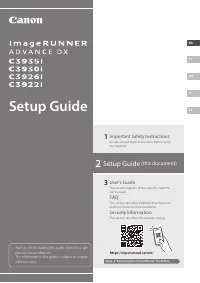
Canon imageRUNNER ADVANCE DX C3935i - Mode d'emploi, à lire gratuitement en ligne au format PDF. Nous espérons que cela vous aidera à résoudre toutes les questions que vous pourriez avoir. Si vous avez encore des questions, contactez-nous via le formulaire de contact.


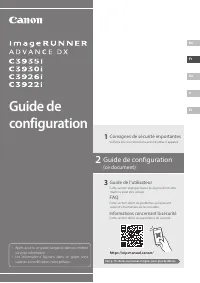
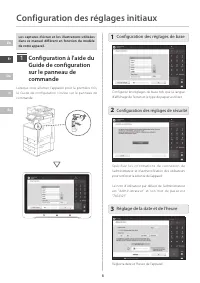
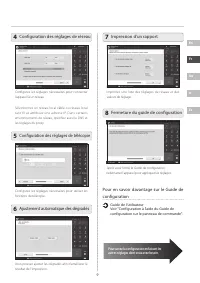
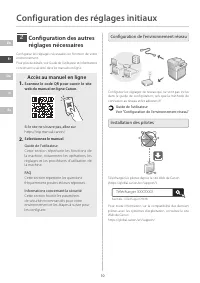
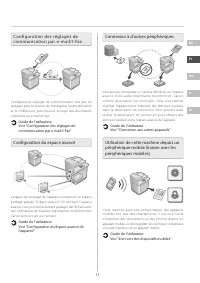
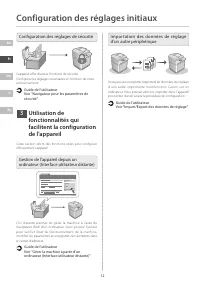

Table des matières:
- Page 2 – Configuring the Basic Settings; Configuring the Initial Settings
- Page 4 – Communication Settings; Setting the Advanced Space; Connecting with Other Devices; Using this Machine from a Mobile
- Page 5 – Configuring Security Settings; Using Convenient; Managing the Machine from a Computer; Importing Settings Data from Another Device
- Page 6 – Guide de l'utilisateur; Guide de configuration
- Page 7 – Configuration des réglages de base; Configuration des réglages initiaux
- Page 9 – Configuration des autres; Accès au manuel en ligne; Configuration de l'environnement réseau; Installation des pilotes
- Page 11 – Configuration des réglages de sécurité; Utilisation de; Gestion de l'appareil depuis un; Importation des données de réglage
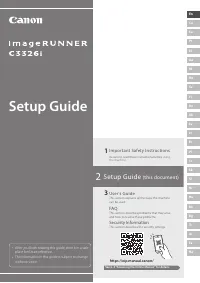
Setup Guide
3
User's Guide
This section explains all the ways this machine
can be used.
FAQ
This section describes problems that may arise
and how to resolve these problems.
Security Information
This section describes the security settings.
1
Important Safety Instructions
Be sure to read these instructions before using
the machine.
• After you finish reading this guide, store it in a safe
place for future reference.
• The information in this guide is subject to change
without notice.
2
Setup Guide
(this document)
« Chargement du manuel » signifie que vous devez attendre que le fichier soit complètement chargé avant de pouvoir le lire en ligne. Certains manuels sont très volumineux, et le temps de chargement dépend de la vitesse de votre connexion Internet.
Ce manuel vous a-t-il été utile ?
À propos de ce manuel
- Marque
- Canon
- Modèle
- imageRUNNER ADVANCE DX C3935i
- Type de document
- Mode d'emploi
- Langue(s)
- Allemand, Anglais, Espagnol, Français, Italien
- Pages
- 12
- Taille du fichier
- 9,5 MB
- Format
Résumé
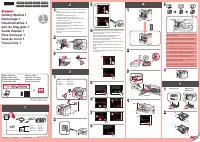
2 En Fr De It Es The screenshots and illustrations used in this manual differ according to the model of your machine. Setting Up Using the Setup Guide on the Control Panel When you turn ON the machine for the first time, the Setup Guide starts up on the control panel. 1 1 1 Configuring the Basic Set...
En Fr De It Es 5 Configuring E-Mail/I-Fax Communication Settings Configure communication settings such as the mail server, authentication, and encryption settings in order to send scanned documents via e-mail and I-fax. User’s Guide See "Setting E-mail/I-Fax Communication" Setting the Advanc...
6 En Fr De It Es Configuring the Initial Settings Configuring Security Settings The machine provides various security functions. You can configure the security settings according to your environment. Security Information See "Security Settings Navigator" Using Convenient Functions to Configu...
Poser une question
Manuels associés
Plus de modèles autres Canon
 Guide rapide Canon imageCLASS MF212w
 Guide rapide Canon imageCLASS MF216n
 Notice Canon imageCLASS MF624Cw
 Mode d'emploi Canon imageCLASS MF4450
 Mode d'emploi Canon imageCLASS MF6160dw
 Notice d'Installation Canon imageRunner 1133iF
 Mode d'emploi Canon imageRUNNER C3326i
 Mode d'emploi Canon IXUS 105
 Mode d'emploi Canon IXUS 180
 Mode d'emploi Canon IXUS 265 HS
 Mode d'emploi Canon LBP7110Cw
 Mode d'emploi Canon LEGRIA FS307
 Mode d'emploi Canon LEGRIA HF R56
 Mode d'emploi Canon LEGRIA HF R67
 Mode d'emploi Canon LEGRIA HF R86
 Mode d'emploi Canon LEGRIA HF R406
 Mode d'emploi Canon LS-100TS
 Mode d'emploi Canon MAXIFY MB2140
 Mode d'emploi Canon MAXIFY MB2755
 Mode d'emploi Canon MAXIFY MB5140