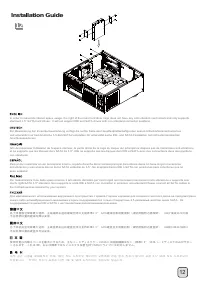
Page 2 - 移除磁架螺絲及主磁碟架; 移除磁架螺丝及主磁盘架; lnstallation Guide
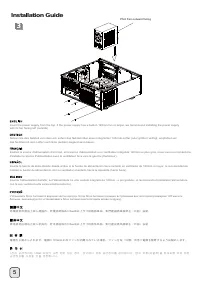
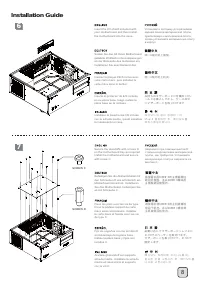
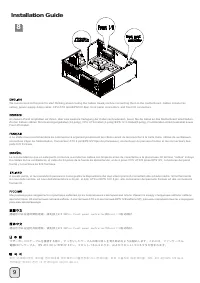
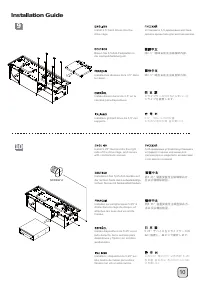
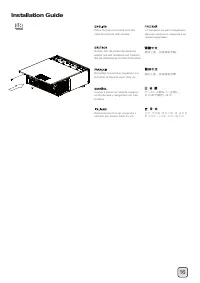
4 1 2 Loosen two screws from the rear of the chassis then remove the top cover. Ослабьте два винта на задней панели корпуса и снимите верхнюю крышку . Lösen Sie die beiden Schrauben von der Rückseite des Gehäuses, entfernen Sie dann die obere Abdeckung. Dévissez les deux vis à l'arrière du châssis p...
Page 9 - OR
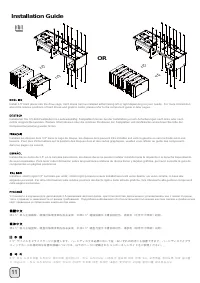
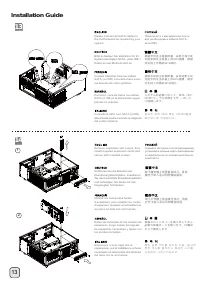
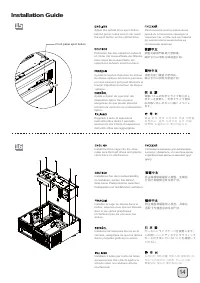
11 11 lnstallation Guide OR Install 3.5" hard drives into the drive cage, hard drives can be installed either facing left or right depending on your needs. For more information about the relative positions of hard drives and graphic cards, please refer to the component guide in later pages. Уста...
Page 15 - Connector definition
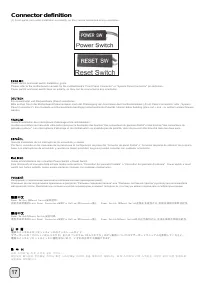
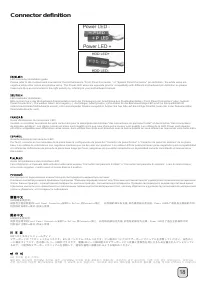
17 Connector definition (1) Front panel conn ector installation no polarity, so they can be connected in any orientation. Power switch and reset switch installation guide: Please refer to the motherboard manuals for the motherboard’s “Front Panel Connector” or “System Panel Connector” pin definition...
Page 17 - Front I/O connector guide
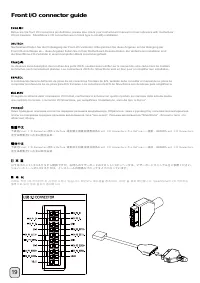
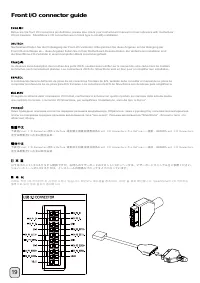
19 Front I/O connector guide Below are the front I/O connectors pin definition, please also check your motherboard manual to cross reference with motherboar I/O pin headers. SilverStone’s I/O connectors are in block type to simplify installation. Nachstehend finden Sie die Pinbelegung der Front-I/O-...
Page 19 - Component size limitations
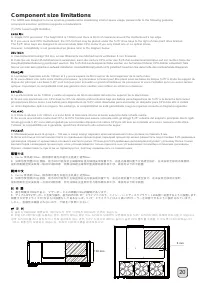
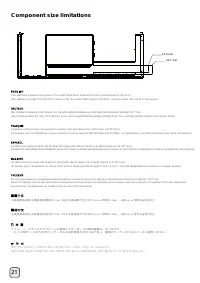
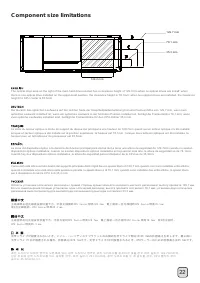
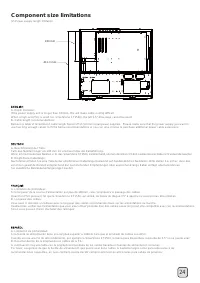
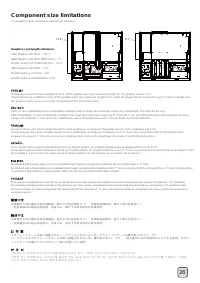
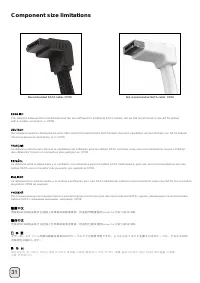
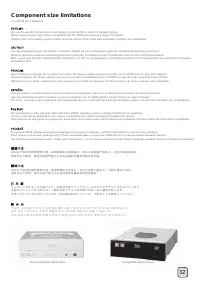
20 Component size limitations The GD08 was designed to be as small as possible while maximizing interior space usage, please refer to the following guideline component selection and future upgrade considerations. (1) CPU cooler height limitation A. Single CPU processor: The height limit is 138mm and...
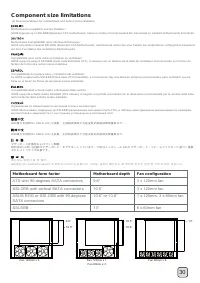
Page 27 - Motherboard form factor; ATX with 90 degrees SATA connectors; Motherboard depth
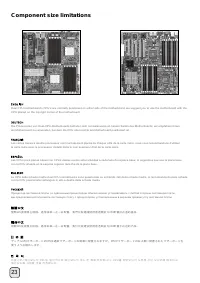
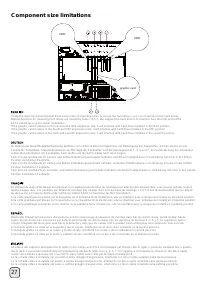
30 Component size limitations Motherboard compatibility and fan limitation:GD08 supports up to SSI-EEB (Extended ATX motherboard), below is a table of recommended fan size based on installed motherboards form factor. (4) Recommendation for motherboard and bottom fans installation Motherboard-Kompati...
Page 30 - Recommended cooling device setup and selection
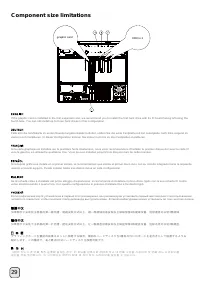
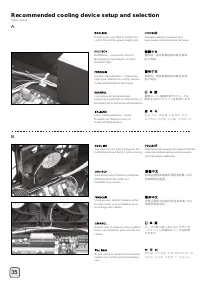
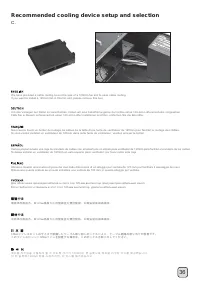
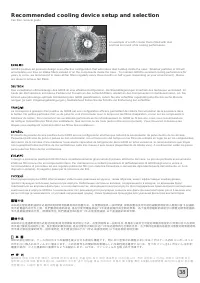
33 If you are installing a tower-style CPU cooler, we recommend that the CPU fan blows rearward to work with GD08’s overall airflow. Falls Sie einen tower-artigen CPU-Kühler installieren, empfehlen wir, den CPU-Lüfter die Luft nach hinten blasen zu lassen, damit er mit der gesamten Luftbewegung im G...
Page 36 - 左邊的電源濾網可以直接拔起; 左边的电源滤网可以直接拔起; 底層濾網請翻倒機殼後拔起
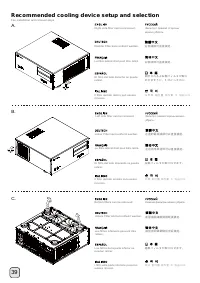
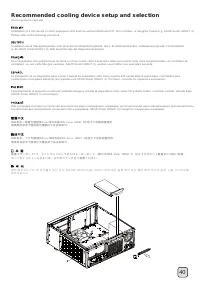
39 Fan installation and removal steps Recommended cooling device setup and selection Right side filter can be removed. Фильтр с правой стороны можно убрать . Rechter Filter kann entfernt werden. Le filtre latéral droit peut être retiré. El filtro del lado derecho se puede retirar. Il filtro del lato...
Page 40 - Protect your computer
43 Protect your computer Kensington Security Slot A Kensington lock can be used on the GD08 to prevent removal of the entire system or the top cover.Caution : Before purchasing the lock, please be sure that it is compatible with GD08’s Kensington security slot. Durch ein Kensington-Schloss am GD08 k...