Samsung HW-J6000 - Mode d'emploi
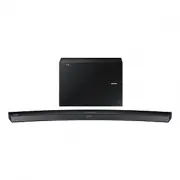
Barre de son Samsung HW-J6000 - Mode d'emploi, à lire gratuitement en ligne au format PDF. Nous espérons que cela vous aidera à résoudre toutes les questions que vous pourriez avoir. Si vous avez encore des questions, contactez-nous via le formulaire de contact.


Table des matières:
- Page 2 – Curved Soundbar; Imaginez les possibilités; Manuel d'utilisation
- Page 3 – CARACTÉRISTIQUES; LICENCE
- Page 4 – FRA; AVERTISSEMENTS
- Page 5 – PRÉCAUTIONS
- Page 6 – SOMMAIRE; DÉMARRAGE; 5 BRANCHEMENTS
- Page 7 – CONTENU; AVANT DE LIRE LE MANUEL D'UTILISATION; Icônes utilisées dans le présent manuel
- Page 8 – PANNEAU SUPÉRIEUR/FAÇADE; Affichage
- Page 9 – PANNEAU ARRIÈRE/INFÉRIEUR
- Page 10 – TÉLÉCOMMANDE
- Page 11 – INSTALLATION DES PILES DANS LA TÉLÉCOMMANDE
- Page 12 – INSTALLATION DE LA SOUNDBAR; INSTALLATION DE LA FIXATION MURALE; Précautions d’installation
- Page 15 – INSTALLATION DE LA SOUNDBAR SANS SOCLE
- Page 16 – CONNEXION DU CAISSON DE GRAVES; CONNEXION AUTOMATIQUE AU CAISSON DE GRAVES
- Page 19 – Utiliser la fonction Bluetooth POWER On
- Page 21 – CÂBLE HDMI; CÂBLE OPTIQUE OU AUX
- Page 22 – Câble AUX; Avant de connecter un périphérique USB
- Page 24 – MODE D’ENTRÉE; FONCTION AUTO POWER DOWN
- Page 27 – À propos du Bluetooth; UTILISATION DE L'APPLICATION SAMSUNG AUDIO REMOTE; Installation de l'application Samsung Audio Remote; Accès à l'application Samsung Audio Remote
- Page 28 – MISE À JOUR LOGICIELLE
- Page 29 – TÉPANNAGE
- Page 30 – SPÉCIFICATIONS
25
ENG
FUNCTIONS
●
If asked for PIN code when connecting a Bluetooth device, enter <0000>.
●
Only one Bluetooth device can be paired at a time.
●
The Bluetooth connection will be terminated when you turn the Soundbar off.
●
The Soundbar may not perform Bluetooth search or connection correctly under the following
circumstances:
-
If there is a strong electrical field around the Soundbar.
-
If several Bluetooth devices are simultaneously paired with the Soundbar.
-
If the Bluetooth device is turned off, not in place, or malfunctions.
-
Note that such devices as microwave ovens, wireless LAN adaptors, fluorescent lights, and gas stoves
use the same frequency range as the Bluetooth device, which can cause electric interference.
●
The Soundbar supports SBC data (44.1kHz, 48kHz).
●
Connect only to a Bluetooth device that supports the A2DP (AV) function.
●
You cannot connect the Soundbar to a Bluetooth device that supports only the HF (Hands Free) function.
●
Once you have paired the Soundbar to a Bluetooth device, selecting "
[Samsung] Soundbar J-Series
"
from the device's scanned devices list will automatically change the Soundbar to
BT
mode.
●
Available only if the Soundbar is listed among the Bluetooth device’s paired devices. (The Bluetooth device
and the Soundbar must have been previously paired at least once.)
●
Soundbar will appear in the Bluetooth device’s searched devices list only when the Soundbar is displaying
BT READY
.
●
In the TV SoundConnect mode, the Soundbar cannot be paired to another Bluetooth device.
BLUETOOTH POWER ON (BLUETOOTH POWER)
When the Bluetooth POWER On function is on and the Soundbar is turned off, if a previously paired Bluetooth device
tries to pair with the Soundbar, the Soundbar turns on automatically.
1.
Press the
Bluetooth POWER
on the remote while the Soundbar is turned on.
2. ON - BLUETOOTH POWER
appears on the Soundbar's display.
TO DISCONNECT THE BLUETOOTH DEVICE FROM THE
SOUNDBAR
You can disconnect the Bluetooth device from the Soundbar. For instructions, see the Bluetooth device's user manual.
●
The Soundbar will be disconnected.
●
When the Soundbar is disconnected from the Bluetooth device, the Soundbar will display
BT DISCONNECTED
on the front display.
TO DISCONNECT THE SOUNDBAR FROM THE BLUETOOTH
DEVICE
Press the
SOURCE
button on the remote control or the
(Source) button on the product's top panel to switch
from
BT
to another mode or turn off the Soundbar.
●
The connected Bluetooth device will wait a certain amount of time for a response from the Soundbar before
terminating the connection. (Disconnection time may differ, depending on the Bluetooth device)
« Chargement du manuel » signifie que vous devez attendre que le fichier soit complètement chargé avant de pouvoir le lire en ligne. Certains manuels sont très volumineux, et le temps de chargement dépend de la vitesse de votre connexion Internet.
Ce manuel vous a-t-il été utile ?
À propos de ce manuel
- Marque
- Samsung
- Modèle
- HW-J6000
- Type de document
- Mode d'emploi
- Catégorie
- Barre de son
- Langue(s)
- Allemand, Anglais, Français, Dutch
- Pages
- 32
- Taille du fichier
- 10,2 MB
- Format
Résumé
Curved Soundbar Imaginez les possibilités Merci d’avoir choisi un appareil Samsung. Pour recevoir une assistance plus complète, veuillez enregistrer votre produit sur www.samsung.com/register Manuel d'utilisation HW-J6000HW-J6001
2 DÉMARRAGE CARACTÉRISTIQUES Application Samsung Remote Contrôlez votre Soundbar depuis le creux de votre main grâce à l'application Samsung Audio Remote*. Cette application pratique est un hub de contrôle pour les contrôles de base comme la mise en marche et l'arrêt, le volume et les contrôles mult...
3 FRA DÉMARRAGE INFORMATIONS RELATIVES À LA SÉCURITÉ AVERTISSEMENTS POUR ÉVITER LES RISQUES DE CHOC ÉLECTRIQUE, NE DÉMONTEZ PAS LE CAPOT. L’APPAREIL NE CONTIENT PAS DE PIÈCES RÉPARABLES PAR L’UTILISATEUR ; S’ADRESSER À UN SERVICE APRÈS-VENTE QUALIFIÉ. ATTENTION RISQUE DE CHOC ÉLECTRIQUE. NE PAS OUVR...
Poser une question
Manuels associés
Plus de modèles barres de son Samsung
 Mode d'emploi Samsung HW-J355
 Mode d'emploi Samsung HW-J470
 Mode d'emploi Samsung HW-J550
 Mode d'emploi Samsung HW-J551
 Mode d'emploi Samsung HW-J650
 Mode d'emploi Samsung HW-J651
 Mode d'emploi Samsung HW-J6000R
 Mode d'emploi Samsung HW-J6001
 Mode d'emploi Samsung HW-J6001R
 Mode d'emploi Samsung HW-J6500
 Guide rapide Samsung HW-J6500R
- Mode d'emploi Samsung HW-J6501
 Mode d'emploi Samsung HW-J7500R
 Mode d'emploi Samsung HW-J7501R
 Guide rapide Samsung HW-J8500R
 Guide rapide Samsung HW-K430
 Mode d'emploi Samsung HW-K470
 Guide rapide Samsung HW-K550
- Guide rapide Samsung HW-K551
 Mode d'emploi Samsung HW-K650